Three pages of the Sending and API group are about your applications' messages: the Templates they send, the Sending log of each message, and the Statistics.
Templates
Sending and API › Templates: the emails your applications send through the API with a template identifier (bienvenue, facture) and their variables ({{ prenom }}, {{ montant }}). Two tabs: Templates and Footers (one footer shared by several templates).
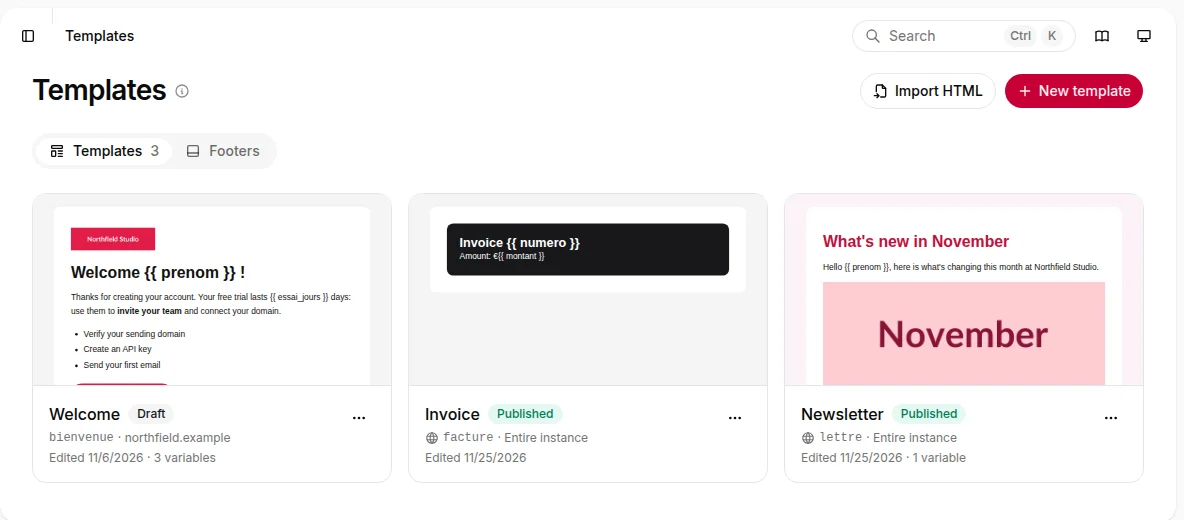
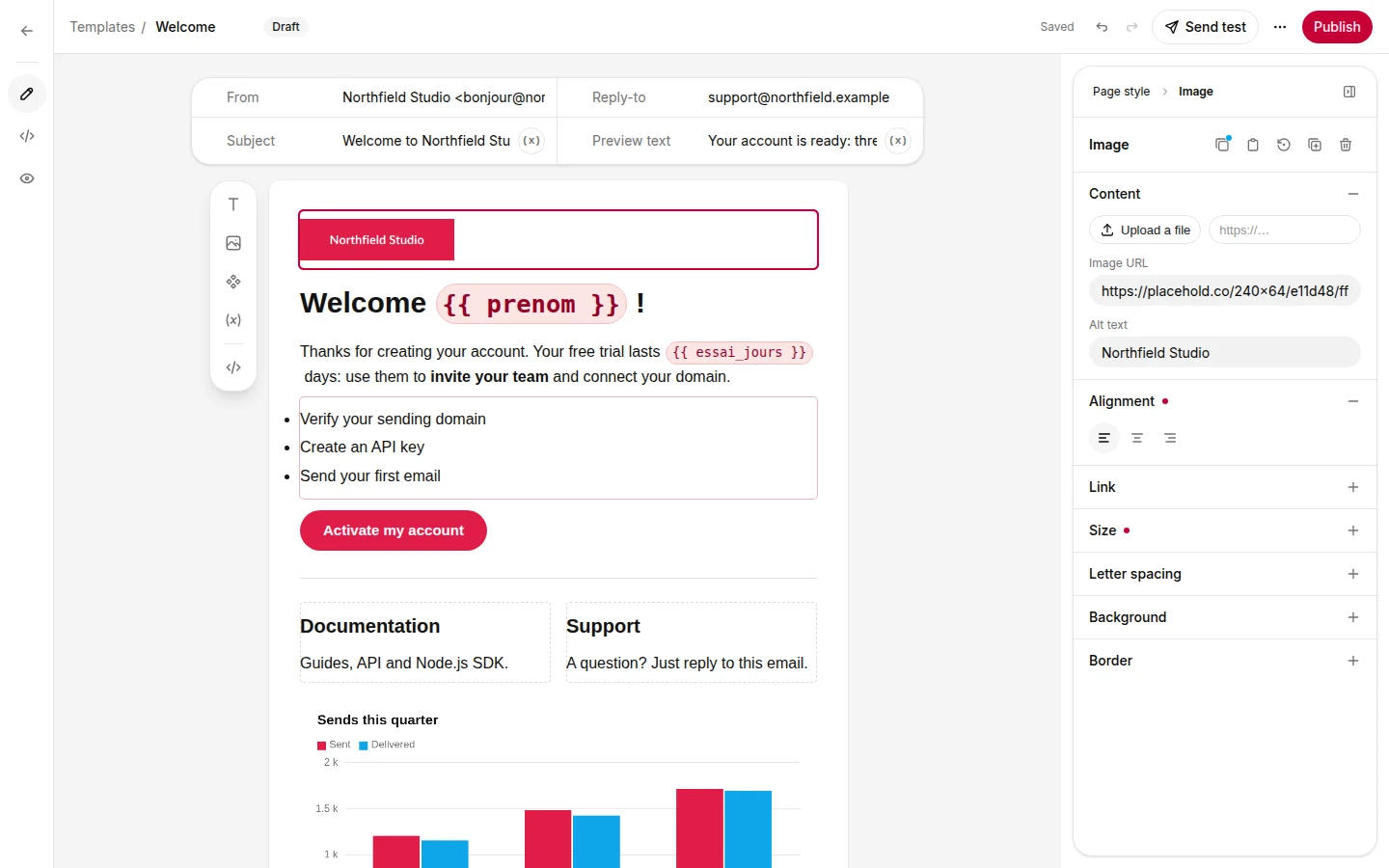
- New template opens the visual editor: subject, sender, Reply-to, Preview text, then blocks (heading, text, list, image, button, table, section, chart, social links, HTML…) added from the palette and dragged to move them. Desktop or Mobile preview, Send test to yourself.
- Import HTML takes over an existing email; you can also paste HTML into the editor or open its source (Pasted HTML and source).
- A template is published: the API always sends the latest published version, and your changes stay in draft until you publish again. Published versions lets you go back to an earlier version.
- The text version is derived from the blocks, or written by hand.
Sending log
Sending and API › Sending log lists the messages sent through the API, newest first: date, recipients, subject, application (key), status (Queued, Sent, Delivered, Opened, Clicked, Deferred, Bounced, Complaint, suppressed, Canceled, Failed). Filters by status, key and user; search on recipient or subject.
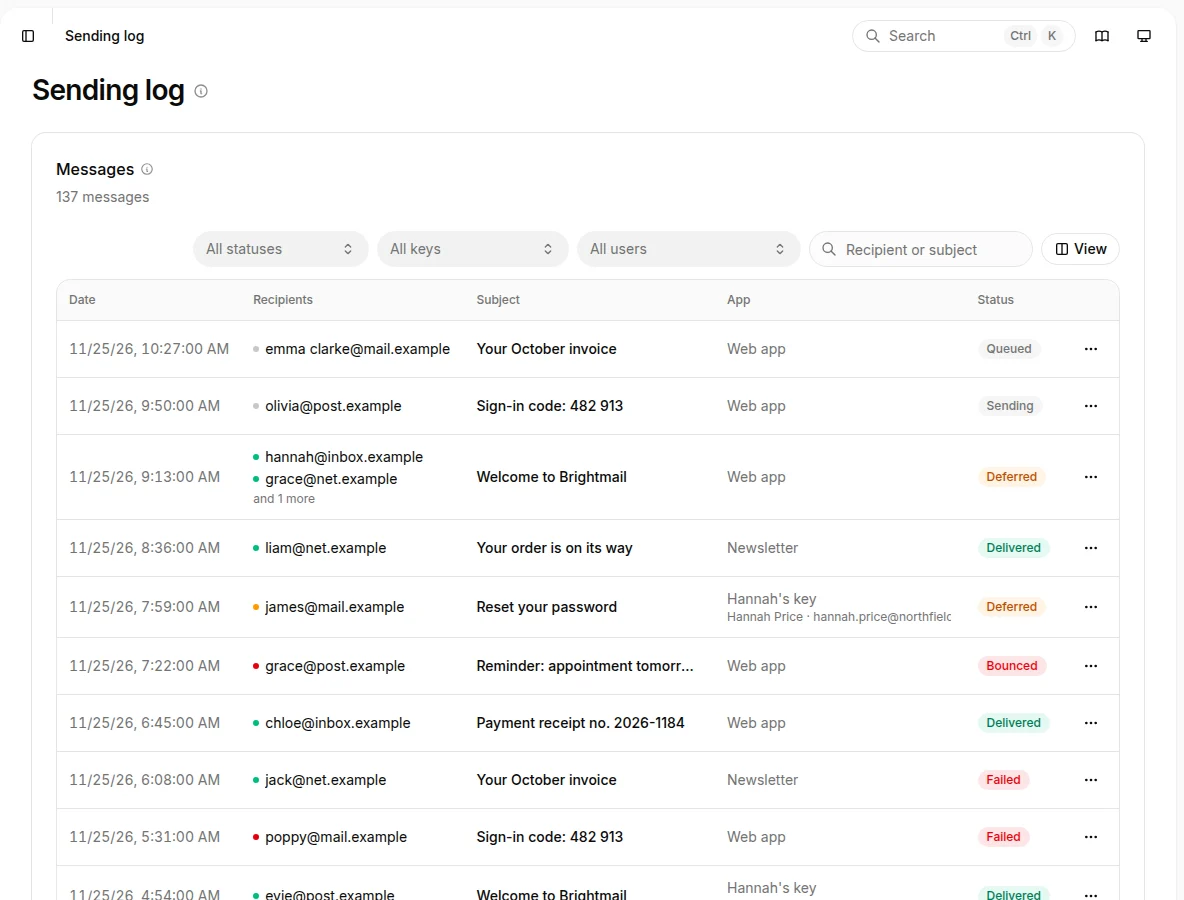
Click a message (or ⋯ › View journey) for its page:
- Events: each step (accepted, delivered, opened, bounced…) with the recipient server's answer explained ("The recipient's server says this address does not exist. It is added to the suppression list.");
- Preview, Text, Source (rebuilt, without the headers added when sending);
- Insights: text version present or not, images without alternative text, tracking on or off;
- Share: a read-only link, valid for 48 hours, without blind copies; Convert to template.
Statistics
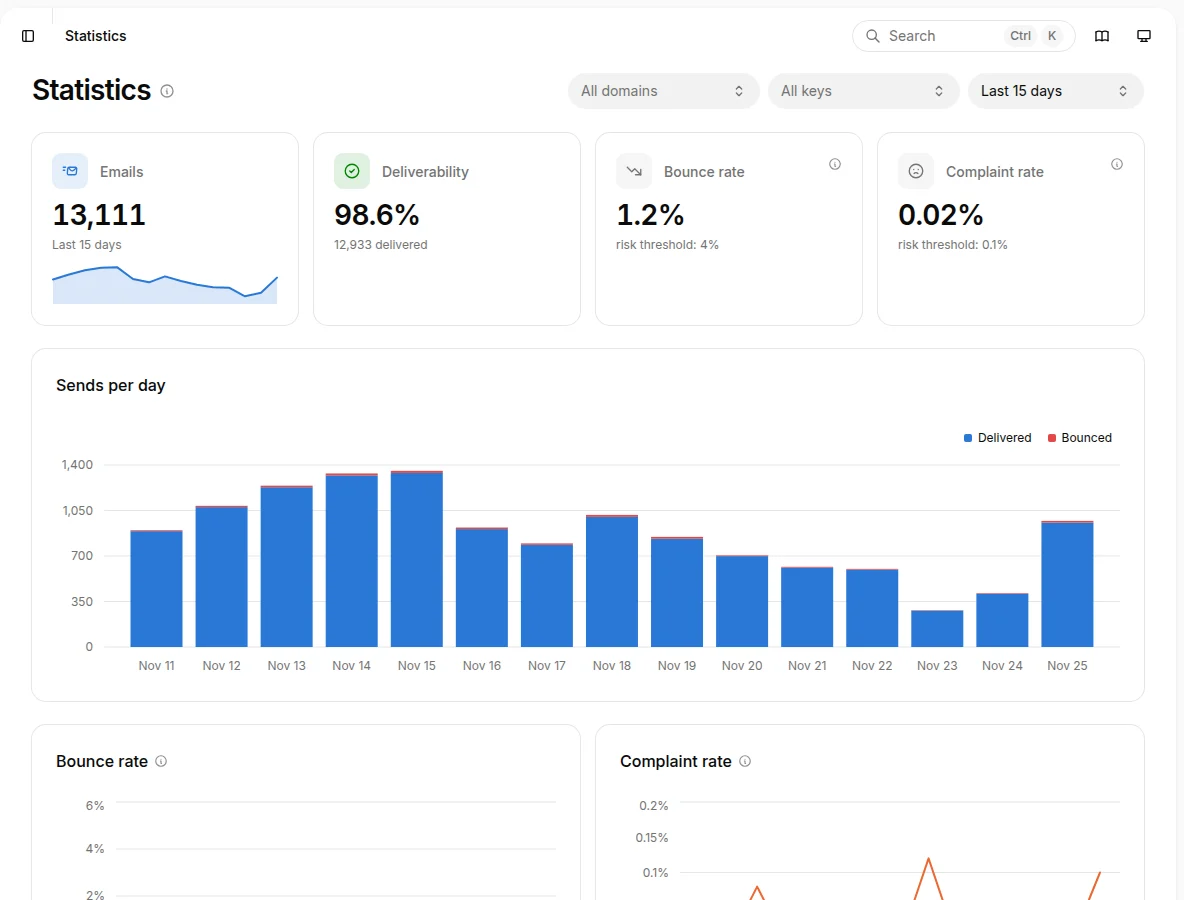
Sending and API › Statistics: anonymous daily aggregates (UTC) of API sending, by Period, Domain and Key:
- Deliverability: delivered, hard bounces (unknown address, refusal) and soft bounces (deferred, retried), failures (given up after 72 hours), complaints, suppressed addresses (sending avoided); bounce rate (hard bounces among recipients delivered or bounced, over the chosen period: the same figure in the tile, the chart and the breakdown; deferrals and give-ups are counted apart) and complaint rate, with the threshold beyond which Gmail and Yahoo penalize a sender;
- Engagement: opens, clicks, open and click rates (only for keys with tracking turned on);
- Sends per day.