Voaaro lets you choose, message by message or for the whole mailbox, what others can see. To encrypt end to end with your contacts, see PGP encryption.
Confidential mode
When composing, the padlock icon opens confidential mode. The content is not sent by email: your recipients get a notice with a link to a secure page on your instance; those with an address here read it directly in their webmail.
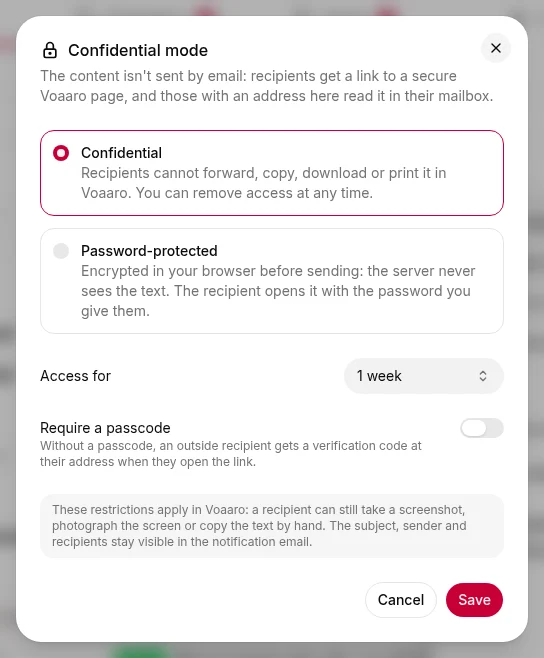
- Confidential: no forwarding, copying, downloading or printing in Voaaro. You can remove access at any time, and the content is then deleted.
- Password-protected: the text is encrypted in your browser before sending; the server never sees it. The recipient opens it with the password you give them by another means (phone, message).
- Access for: 1 day, 1 week, 1 month, 3 months, 1 year or 5 years.
- Require a passcode: an external recipient gets a 6-digit code at their address before reading.
The recipient can reply from the page; their reply arrives in the conversation. A confidential message can't contain attachments.
External images
By default, Voaaro asks before showing images downloaded from the internet, which are often used to find out that you opened a message. See Reading a conversation.
Encryption at rest
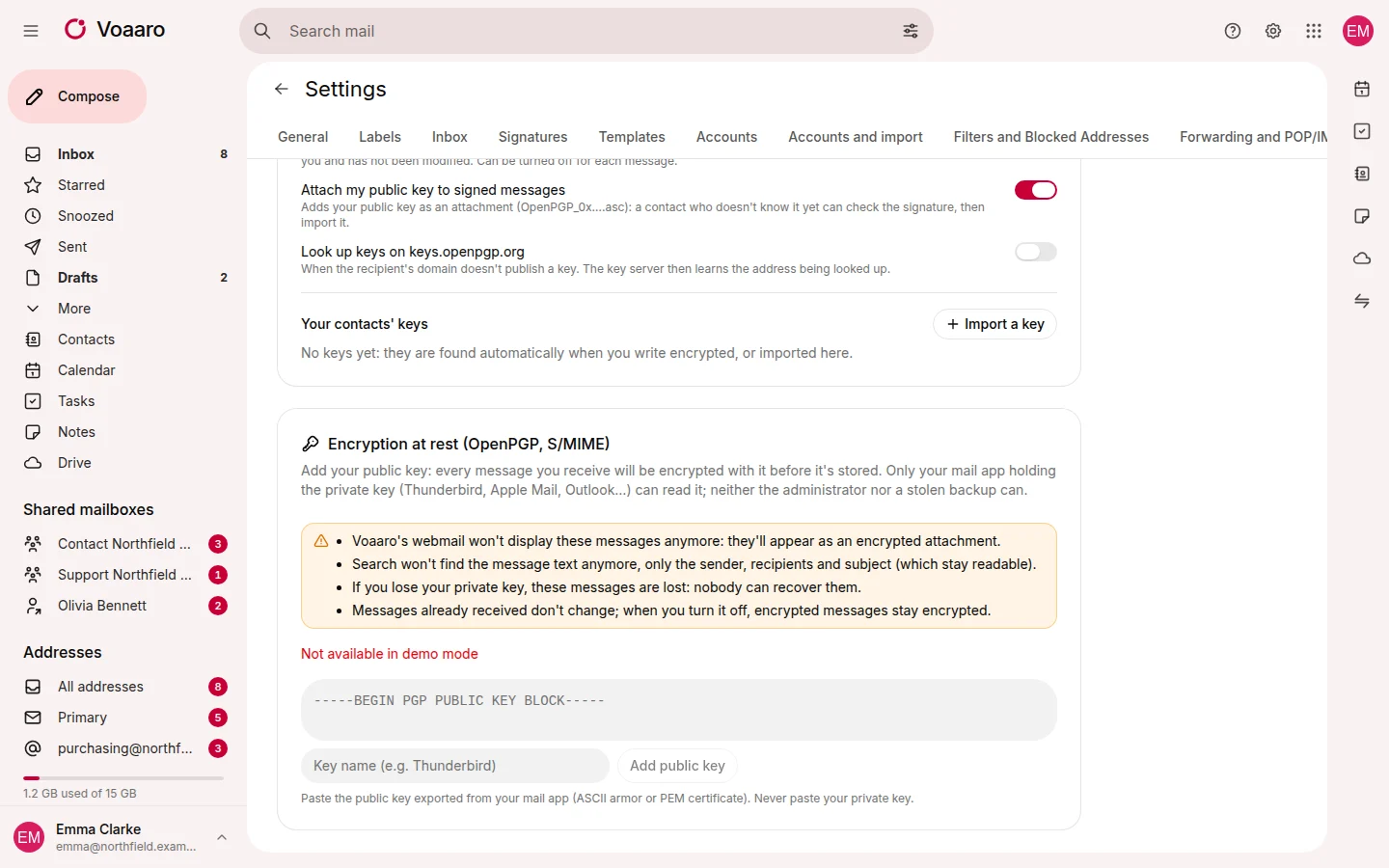
Settings › Security › Encryption at rest (OpenPGP, S/MIME): upload your public key, and each message you receive is encrypted with it before being stored. Only the app that holds your private key (Thunderbird, Apple Mail, Outlook…) can read them.
The AI assistant
When the AI assistant is on, it never receives a confidential, protected or encrypted message, nor a draft; attachments only if you tick them. Nothing is sent, replaced or added without your click. Settings › AI assistant shows the provider used and asks for your consent before first use.
Your data
You can download all your data or close your account: see Your data.