The bar at the top of the webmail searches all your messages (except spam and trash, unless you ask for them). The / key puts the cursor in it. Results are shown as an ordinary list, with the same pagination and the same actions; "Results for “…”" reminds you of the current search.
Search options
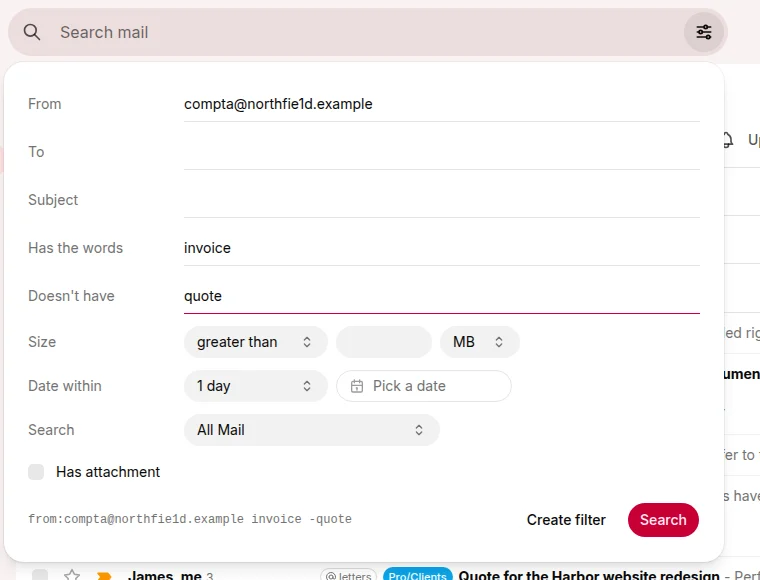
The settings icon on the right of the bar opens the advanced search form: From, To, Subject, Has the words, Doesn't have, Size (greater or less than, in KB or MB), Date within around a chosen day, Search (all mail, a folder, a label) and Has attachment. Search runs the search; Create filter opens a filter with the same criteria, to sort upcoming messages automatically.
Operators
You can also type criteria directly, as in Gmail:
| Operator | Finds |
|---|---|
from:sophie to: cc: subject:quote | the sender, a recipient, the subject |
has:attachment | messages with an attachment |
is:unread is:read is:starred is:important is:snoozed is:muted | the message state |
in:inbox in:sent in:drafts in:spam in:trash in:anywhere | a folder (anywhere: spam and trash included) |
label:invoices category:promotions | a label, a category |
after:2026/10/01 before:2026/11/01 | a period (date in YYYY/MM/DD format) |
newer_than:7d older_than:1y | an age (d days, m months, y years) |
larger:5M smaller:200K | a size |
deliveredto:purchasing@example.com | messages received by a secondary address (deliveredto:me: the main address) |
"exact phrase" | these words in this order |
quote OR invoice | one or the other |
Everything else is free text, searched in the subject, the body and the names. Search is language-aware: "invoice" also finds "invoices" and "invoiced", in English as in your account's language.
Exclude with the minus sign
A - in front of a word or an operator removes the matching messages:
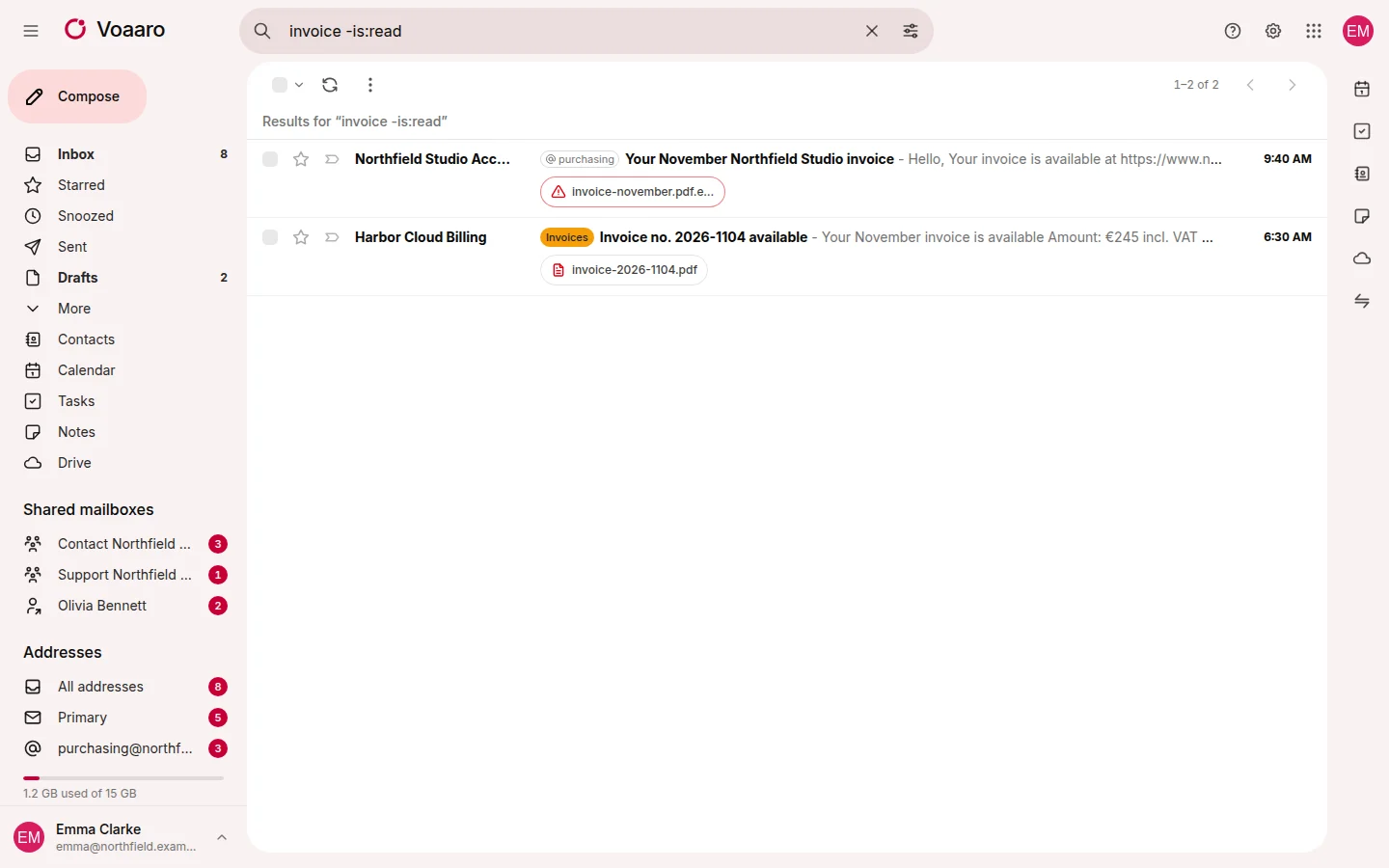
invoice -quote: invoices, without those that mention a quote;from:harborcloud.example -subject:reminder: messages from this domain, except reminders;-"in copy": without the phrase;has:attachment -is:read,-in:inbox,-label:personal: exclusions also work with states, folders, labels, dates and sizes.
A search made only of exclusions (-from:noreply) goes through the whole target folder. The Doesn't have field in the search options produces the same exclusion.
Without a network
Offline, search covers the copy kept on the device: subject, sender and snippet only. See Offline.